

Find
You packed it. Now where is it?
Medication. Chargers. Kids’ bedtime things. Important paperwork. “KITCHEN” is not enough information when the box you need is buried under fifteen others.
Household moving system
Photograph what you pack. MoveIt builds your searchable inventory, creates mover-friendly QR labels, tracks boxes from loaded to delivered, and helps you find everything on the other side.
Follow the build
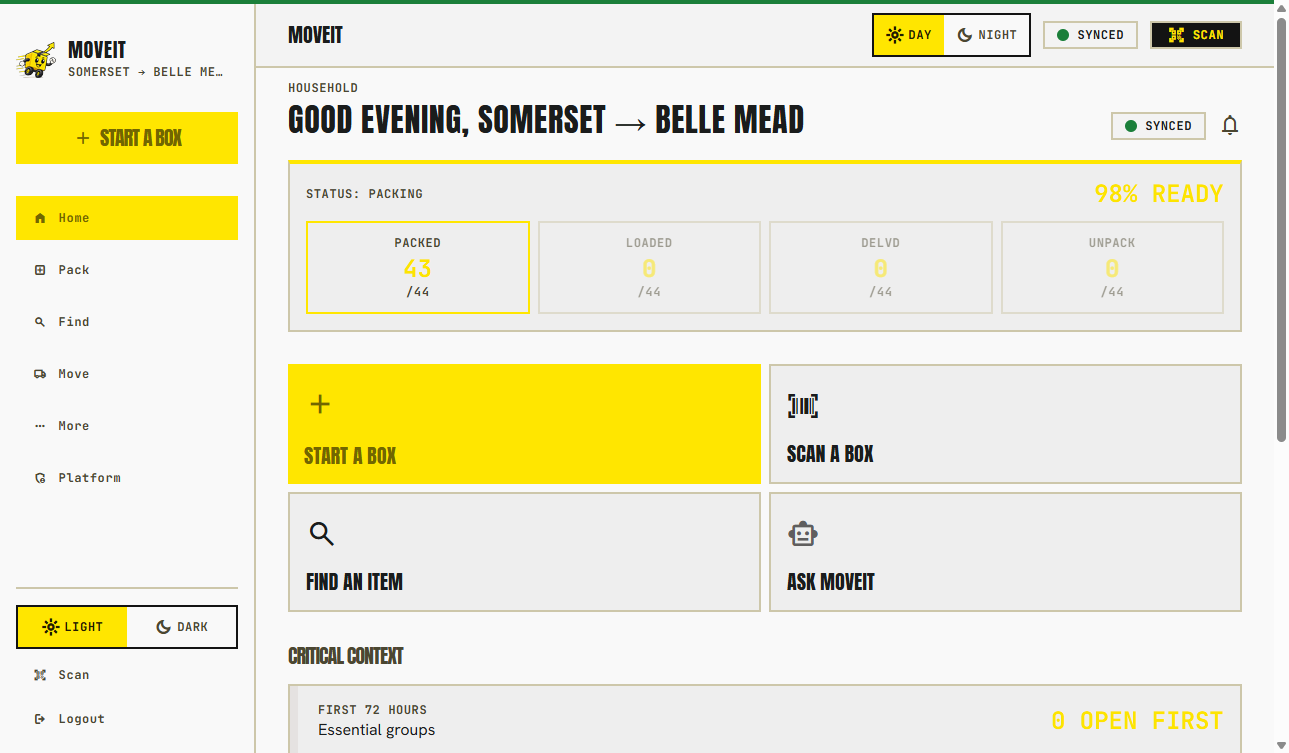
Built around a real household move
MoveIt started with a simple problem: once the boxes were sealed, the household knew less about its belongings than before packing began. We built the system around an actual move — not a warehouse demo.
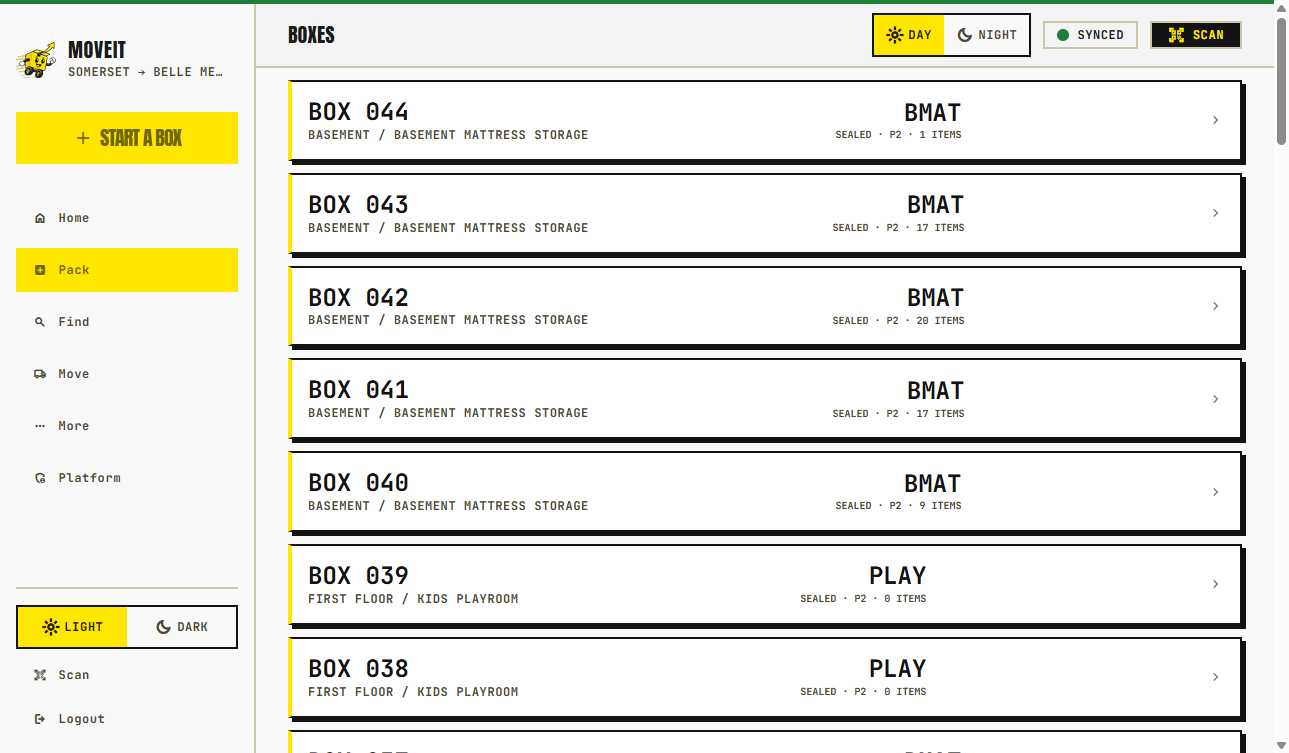
Room codes, item counts, and status in one list.
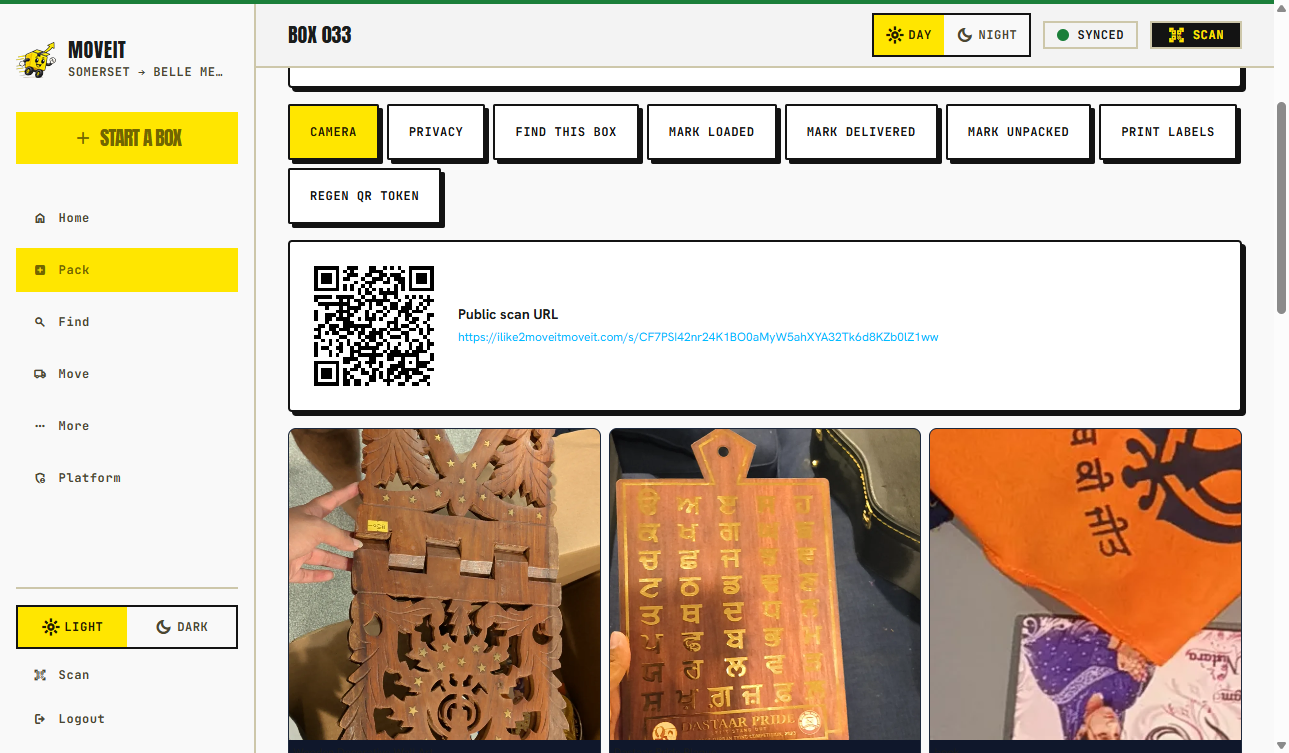
AI names items later. You keep the visual record either way.
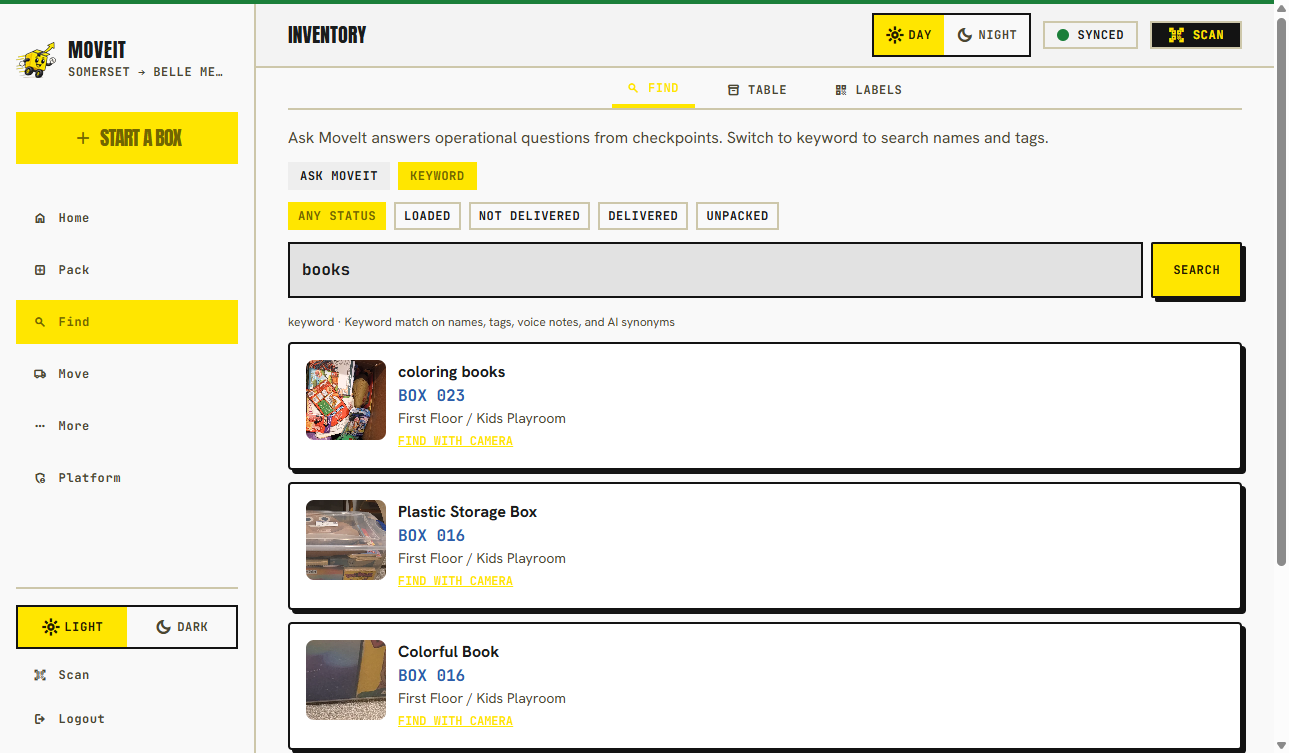
Search by name, tag, or ask a question.
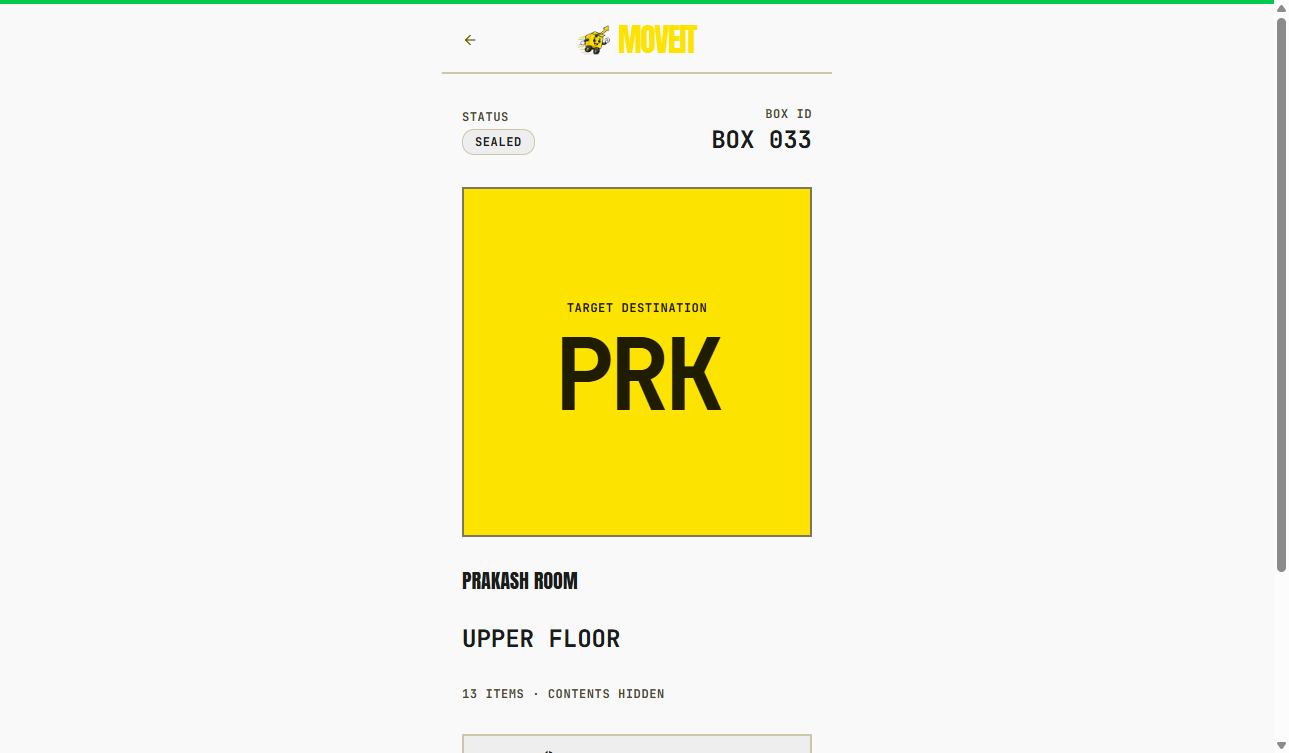
Floor, room, and handling — no crew app needed.
The problem
Find
Medication. Chargers. Kids’ bedtime things. Important paperwork. “KITCHEN” is not enough information when the box you need is buried under fifteen others.
Place
MoveIt gives every box a destination floor, room, priority, and handling instructions.
Verify
A moving inventory should follow the boxes onto the truck and through delivery — not stop when the tape goes on. Walk the exception list before the crew leaves.
The MoveIt loop
Pack → label → handoff → verify → find.
01
Pack
Choose the destination room, snap the items, and keep moving. Voice notes are optional.
Packing never waits for AI. Photos save first; metadata arrives later.
02
Label
QR code, mover code, room, priority, and handling flags on Avery 5163 / 8163 labels.
03
Handoff
The scan page tells the crew where the box belongs without requiring a crew app.
04
Verify
Mark boxes loaded and delivered so the inventory reflects what happened on moving day.
05
Find
Search by item, box, room, tag, or Ask MoveIt — then keep the inventory after unpacking.
The handoff
A MoveIt box can tell the crew exactly where it belongs while keeping detailed household contents private by default.
Household view
BOX 023
Office
Scan → destination
Mover scan
BOX 023
Target destination
OFF
Office
Floor 02
4 items · contents hidden
Handling flags appear when you set the box to destination + handling. Default public scans hide contents. Crew checkpoint writes use a signed, expiring crew link — not a household login.
See MoveIt for movers →Moving day
Your box list should not become irrelevant once the mover arrives. MoveIt carries the inventory into moving day with loaded and delivered checkpoints.
The goal is simple: every box accounted for before the move is over. Sealed-not-loaded and loaded-not-delivered are lists you can walk — not a claim that the system automatically declares a box missing.
Moving-day tracking →Privacy by workflow
Public box scans show the information needed for placement and handling. Detailed contents stay hidden by default, with per-box controls for what is shared.
How box privacy works →Default. Floor, room, and mover code. Contents stay hidden.
Adds priority and handling flags the crew needs at the door.
Optional short contents list. Still no OCR or voice notes.
Routing hidden. Scan page tells the crew to ask the owner.
Find + unpack
Search for an item, find the box, surface open-first essentials, and work through the new home room by room.
Find the box, then open it with a plan instead of a guess.
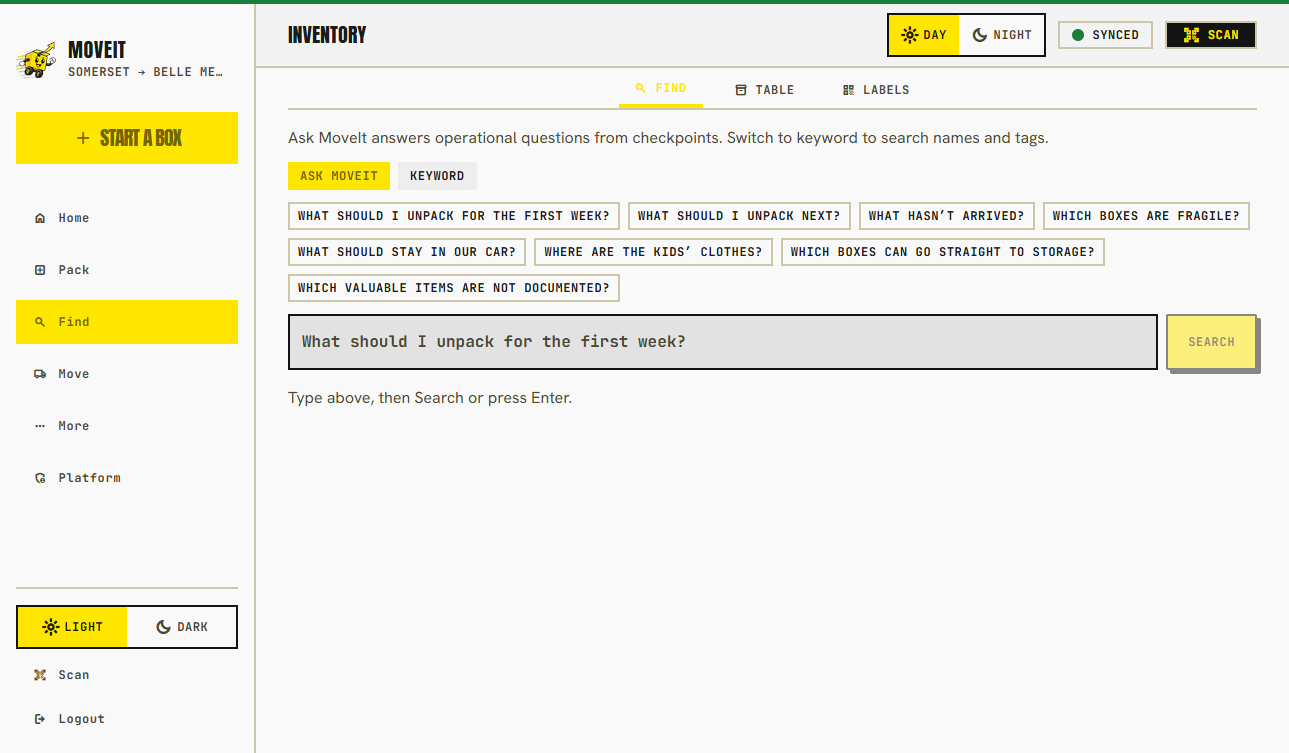
Operational questions from your catalog and box events — not invented boxes.
After the last box
Moving is one of the few times you are already touching almost everything you own. Keep the record instead of starting over after you unpack.
Use MoveIt as a searchable household memory for rooms and permanent locations, serial numbers, receipts, condition photos, and a home-inventory PDF — then start the next move from the same catalog.
See home inventory after moving →Why MoveIt
| Capability | Sharpie | Spreadsheet | Basic QR list | MoveIt |
|---|---|---|---|---|
| Destination room | Yes | Yes | Yes | Yes |
| Search contents | No | Yes | Yes | Yes |
| Photo record | No | Partial | Varies | Yes |
| AI metadata | No | No | Varies | Yes |
| Mover scan view | No | No | Varies | Yes |
| Loaded / delivered status | No | Partial | Varies | Yes |
| Unpacking workflow | No | No | Varies | Yes |
| Useful after move | No | Partial | Varies | Yes |
“Basic QR list” is a generic category, not a named competitor. Features there vary by product.
For movers
Customers get searchable packing inventory. Crews get destination and handling information from the box itself.
Pricing
One move. One system. Keep the inventory afterward.
Free
$0
5 boxes + 50 photographed items. Enough to test the full packing loop. Extra unpaid moves do not add more free boxes.
Start packing freePer move
$29
Home inventory
$9/mo
Keep serials, receipts, locations, and the home-inventory PDF after the move. Offered when a Stripe price is configured.
See home inventoryFAQ
MoveIt is a household moving system. You photograph items as they go into a box, print Avery labels with QR codes, hand movers a scan page with floor and room, mark boxes loaded and delivered, and search the inventory during unpacking and after.
A room name is not a moving system. MoveIt gives each box a destination floor, mover code, priority, and handling flags; a public scan page for crews; loaded and delivered checkpoints; and a searchable photo inventory so you can find items later.
No. Photos save immediately. Names, tags, OCR, and transcripts arrive later. You can type a name or leave a voice note; your edits are never overwritten by a later model run.
No. A mover scans the QR with any phone camera and sees destination floor, room, and handling information in the browser. No crew app install. Marking a box loaded or delivered uses a signed, expiring crew link from the household — not a crew account.
By default, destination room, floor, and mover code — not item photos or a contents list. You can raise a box to include handling flags or a short summary, or lock it to PRIVATE so even the room name stays off the scan page.
Yes. Each box moves through sealed, loaded, delivered, and unpacked. You get packed, loaded, and delivered counts, plus an exception list of sealed-not-loaded and loaded-not-delivered boxes to walk before the crew leaves.
The catalog stays. Assign permanent locations, add serial numbers and receipts, keep condition photos, and export a home-inventory PDF. A paid move stays unlocked. Optional home-inventory billing is on the pricing page.
The web app is the full product, including Avery PDFs and moving-day packets. An Android app covers packing, scanning, and search. Print and reports stay on the web.
Avery 5163 and 8163 (2×4″). Each label prints box number, mover code, floor, room, priority, handling flags, and a unique QR. You can pre-print a stack per room or generate labels when you seal.
One household per signup. Free includes 5 boxes and 50 photographed items for that household — extra unpaid moves do not add more. Unlock a single move for $29 for unlimited packing on that move, Avery PDFs, export, reports, and Ask MoveIt. Home inventory after the move is $9/month when you want it.
Notes
Moving With Kids
A practical system for keeping kids comfortable, essentials accessible, routines intact, and moving-day chaos under control.
Labels
A labeling system that works on moving day: room codes, handling flags, and QR codes on Avery 5163 labels.
Inventory
What to photograph, what to write on the box, and what to export before the truck arrives.